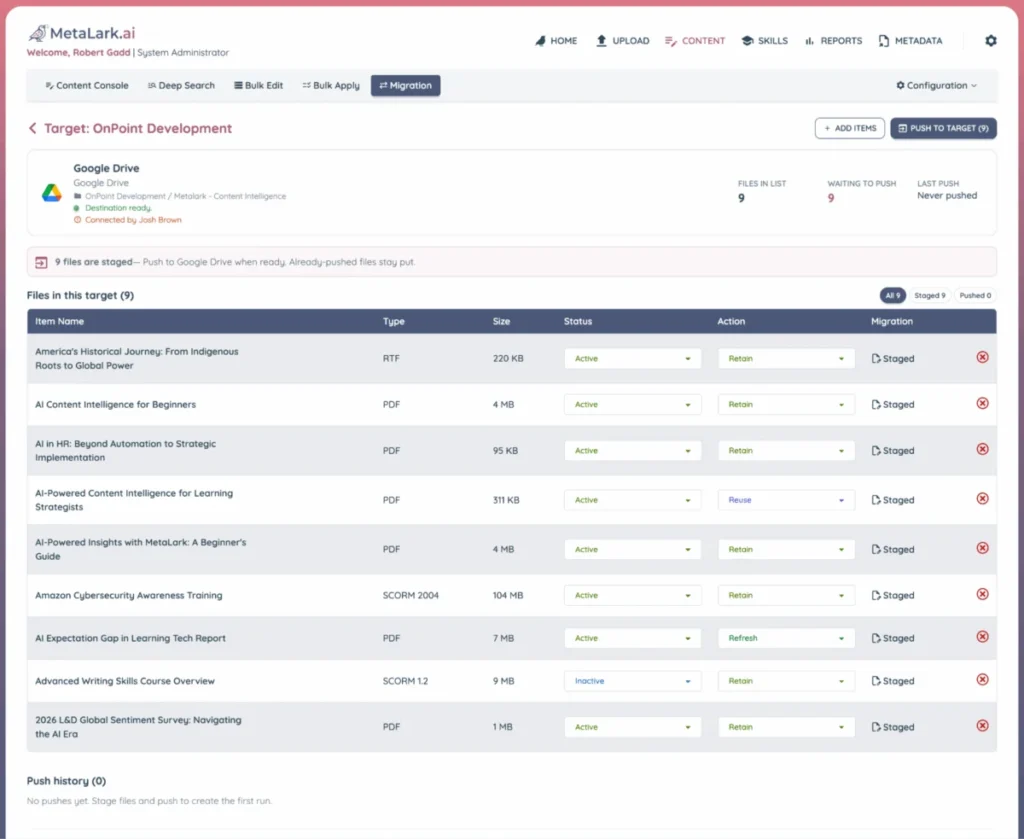
The corporate learning landscape is currently undergoing a significant shift as organizations move away from legacy Learning Management Systems (LMS) toward more agile, AI-driven Learning Experience Platforms (LXP). However, this transition frequently exposes a long-standing internal crisis: content bloat. Most Learning and Development (L&D) departments find themselves managing thousands of assets—videos, SCORM packages, PDFs, and slide decks—many of which are outdated, redundant, or entirely forgotten. Industry experts suggest that a migration window, typically staying open for only three to six months, represents a rare and critical opportunity to perform a "Digital MRI" on learning content health. Failing to act during this period often results in "lift and shift" strategies that carry forward years of digital waste, leading to increased costs and diminished learner trust.
The Economic and Operational Hazards of the Lift and Shift Approach
In the urgency of a system migration, the default strategy is often to move the entire content corpus en masse and address cleanup later. While this appears to be a low-risk path that preserves timelines, it creates a long-term "technical debt" that burdens the organization for years. The expense of a migrated asset is not merely the cost of the digital transfer; it is the cumulative cost of maintenance. Every course moved into a new system requires re-testing in the new player environment, re-tagging against updated metadata schemes, and inclusion in annual compliance review cycles.
From a procurement perspective, many modern SaaS contracts are priced based on resource counts or storage tiers. Carrying 1,200 redundant items in a 5,000-item library can result in significantly higher baseline licensing fees. Furthermore, the "learner cost" is perhaps the most damaging. When a search for "safety protocols" returns multiple, nearly identical versions of the same document—some dating back to acquired business units from a decade ago—learners lose confidence in the platform. This friction drives employees away from official systems and toward public chatbots or unvetted external sources, undermining the very purpose of the new LMS investment.
Chronology of a Content Audit: Why Timing Matters
The window for content hygiene opens during the vendor evaluation phase and closes shortly after the "go-live" date. Historically, organizations have struggled with this timeline because manual content audits are labor-intensive, often taking six to eight weeks just to inventory. By the time an L&D team understands what they have, the migration deadline is too close to allow for thoughtful deletion or consolidation.
The emergence of intelligent extraction tools, such as MetaLark.ai, has shifted this chronology. By using AI to parse cloud repositories and LMS libraries, organizations can now generate a full searchable catalog of every asset they own in a matter of days. This allows the cleanup process to happen in parallel with technical configuration rather than as a rushed afterthought.
Step 1: Establishing a Comprehensive Asset Inventory
The first step in any successful migration is moving beyond the standard LMS course list. A true inventory must account for the "dark data" of learning: the job aids on SharePoint, the recorded webinars in Google Drive, and the PowerPoint decks sitting on local servers.
An effective inventory includes:
- Package Metadata: Version numbers, authoring tool types, and last modified dates.
- Usage Analytics: Launch and completion counts over a 24-month period.
- Contextual Links: Identifying which curricula or onboarding paths an item belongs to, as low-traffic items may still be essential components of a larger training journey.
- Source File Verification: Confirming whether editable files still exist. If the original authoring project is lost, the organization must decide whether to rebuild the content or retire it entirely.
Step 2: Intelligent Content Analysis and Semantic Review
Traditionally, the most expensive part of an audit is the "human review"—opening every file to see if the information is still accurate. This bottleneck often leads teams to make "keep-or-kill" decisions based solely on titles or dates, which are notoriously unreliable. A document titled "Privacy Policy v2" may contain outdated regulatory references that a title-level scan would miss.
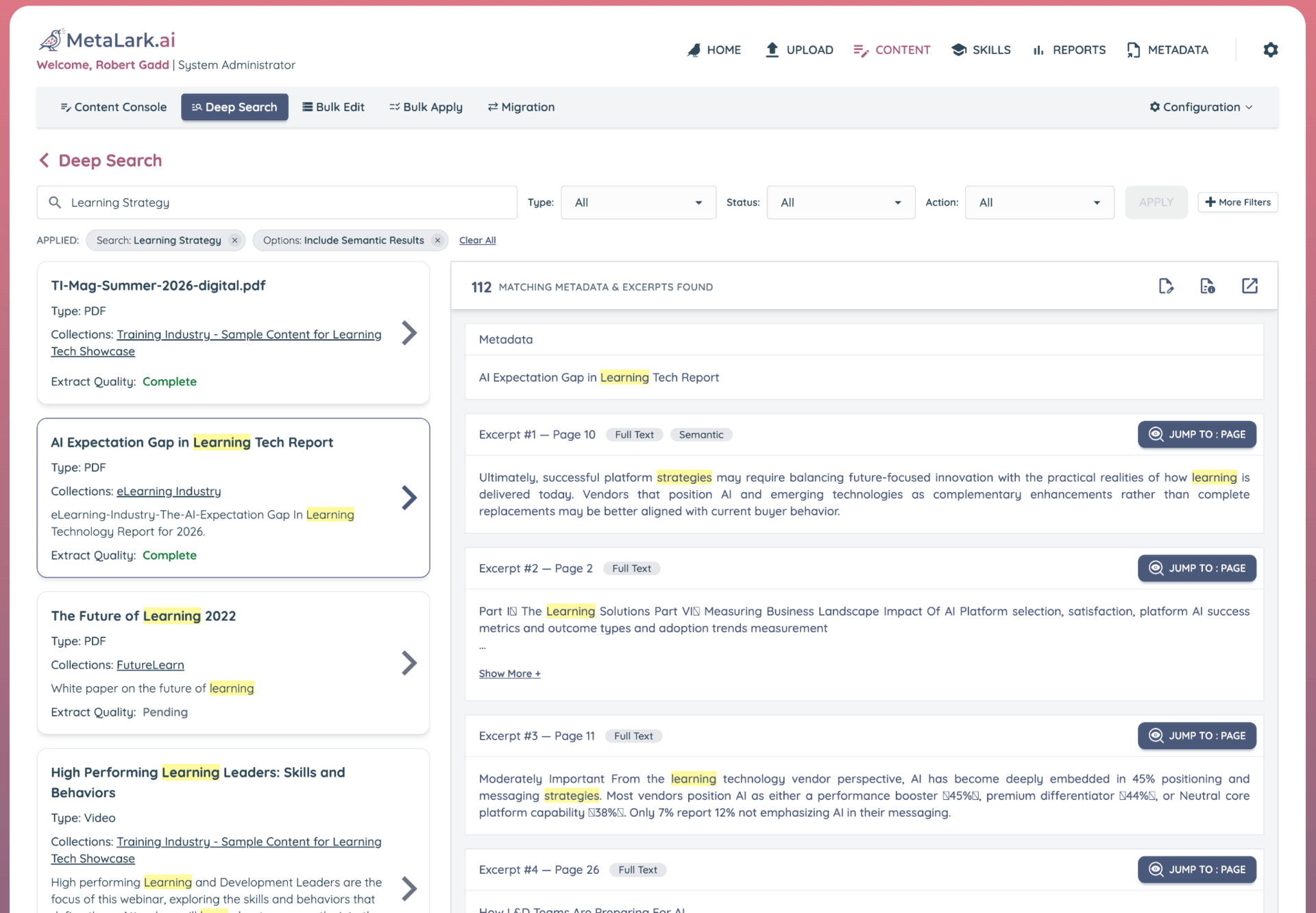
Modern AI-driven analysis tools now allow for a "molecular" view of the library. By scanning the actual text within SCORM packages, PDFs, and video transcripts, these tools can flag overlaps where two different assets cover the same concepts under different names. For example, a vendor-supplied course on "Difficult Conversations" and an internal module on "Feedback Basics" may overlap by 80%. Identifying these redundancies allows for massive consolidation, reducing the total volume of content that needs to be migrated and maintained.
Step 3: Utilizing Usage Data for Objective Decision-Making
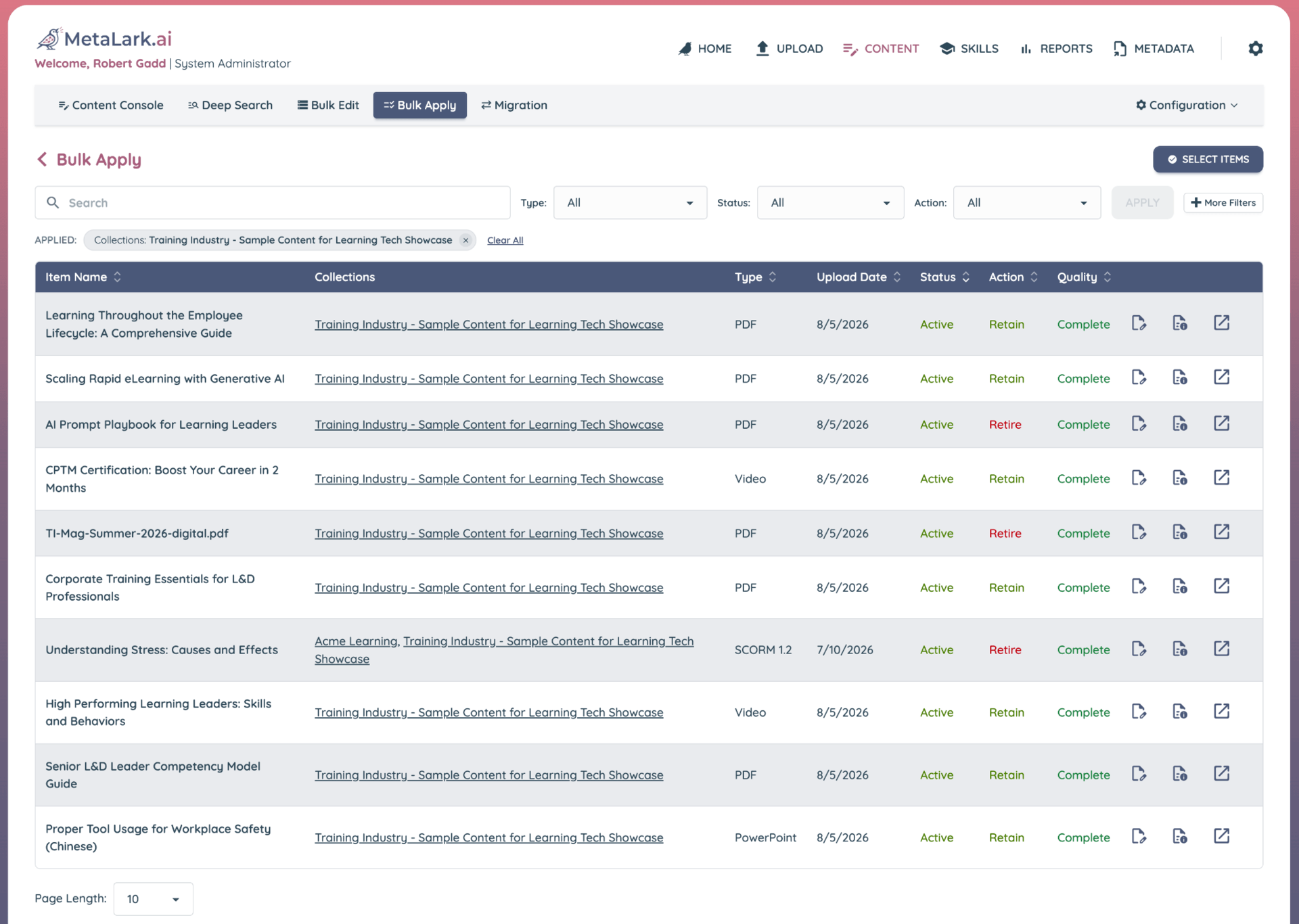
Once the content is understood, usage data provides the necessary evidence to make "easy calls." In most corporate libraries, approximately 25% to 50% of the catalog has seen zero activity in the past two years. To prevent the audit from stalling in endless negotiations, L&D teams should establish and publish a "sunset rule."
A common standard is the 24-month rule: any asset with no launches in two years that lacks a designated owner willing to claim it is automatically slated for retirement. Exceptions are made for seasonal content or long-cycle regulatory requirements, but the rule-based approach removes the emotion from the deletion process. This is particularly important for organizations with large third-party libraries that were licensed but never curated for the specific needs of the workforce.
Step 4: Classification into the Four Primary Conditions
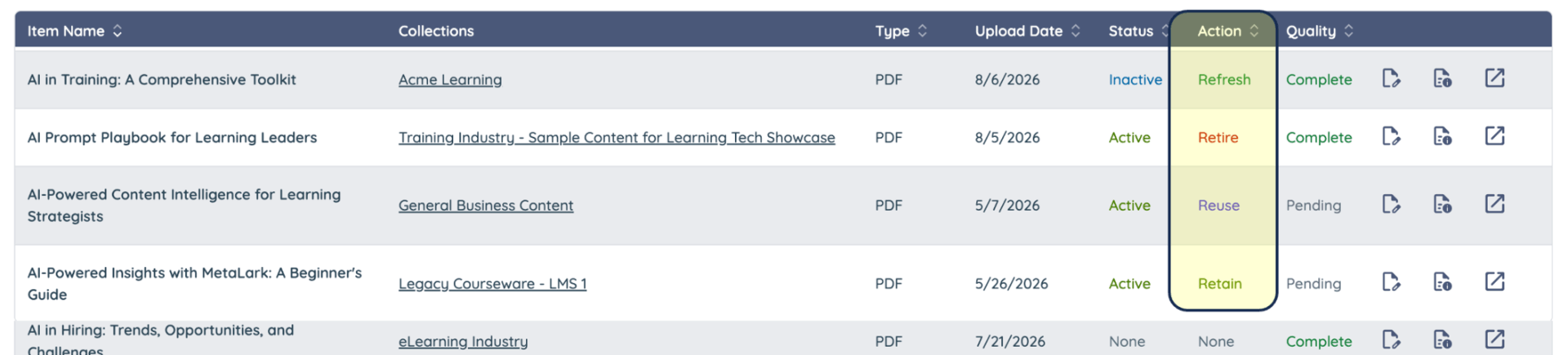
With the analysis complete, every asset should be assigned one of four definitive statuses:
- Keep: Current, high-usage, and technically compatible assets.
- Update: Content that is conceptually sound but requires technical fixes or minor data refreshes.
- Consolidate: Multiple assets covering the same topic that should be merged into a single "source of truth."
- Retire: Outdated, redundant, or broken content that will not be moved to the new system.
A temporary "Review" bucket may be used for items requiring a second opinion, but this must be cleared before the migration begins. Experts suggest that if a decision cannot be made by the cutover date, the asset should be moved to a holding archive outside the new LMS rather than cluttering the live catalog.
Step 5: Assigning Ownership and Managing Compliance
L&D should manage the migration process, but they should not be the sole arbiters of content validity. Functional content must be signed off by the business owners it serves, and regulated content must be vetted by compliance or risk officers. This step ensures that "retiring" a course does not inadvertently violate a legal requirement.
It is also vital to distinguish between content retirement and data retention. Retiring a legacy course does not necessitate the loss of completion history. Compliance teams should confirm the specific requirements for historical transcripts; often, these records can be archived in a flat-file format or a data warehouse, allowing the outdated course itself to be deleted while preserving the evidence of past training.
Step 6: Strategic Migration Waves and Quality Assurance
The final step is the execution of the migration in waves. The first wave should focus on high-stakes content, such as mandatory compliance training and active onboarding paths. This allows time to troubleshoot technical issues—such as broken bookmarking or reporting failures—before the bulk of the library is moved.
Testing must be conducted from the learner’s perspective, across various devices and browsers. Older SCORM packages are particularly prone to "silent failures," where the content appears to play correctly but fails to communicate completion data back to the LMS. Once the migration is complete, the legacy system should be kept in a read-only state for a fixed period to ensure no critical assets were missed.
Broader Implications: Preparing for the Age of Agentic AI
The push for clean content migration is gaining new urgency as enterprises look toward Large Language Models (LLMs) and AI agents. Many organizations are planning to ground internal AI tools in their existing learning libraries to provide "just-in-time" support for employees. However, an LLM is only as reliable as its training data.
If an enterprise LLM is fed a library containing five different versions of an expense policy, it may confidently provide an employee with outdated information. By cleaning the content corpus during an LMS migration, organizations are effectively performing the essential data engineering required for future AI initiatives. Clean, vetted, and consolidated material ensures that the next generation of digital assistants provides accurate and safe guidance to the workforce.
Conclusion: Setting Governance for the Future
A migration is more than a technical transfer; it is a reset for the organization’s digital knowledge. To prevent the recurrence of content bloat, L&D teams must implement strict governance for the new platform on day one. This includes mandatory naming conventions, standardized metadata, assigned ownership for every asset, and pre-scheduled retirement dates for all new publications. By treating the migration as a strategic decision point rather than a logistical chore, organizations can transform their learning libraries from cluttered archives into streamlined engines of performance.